Manage Cluster
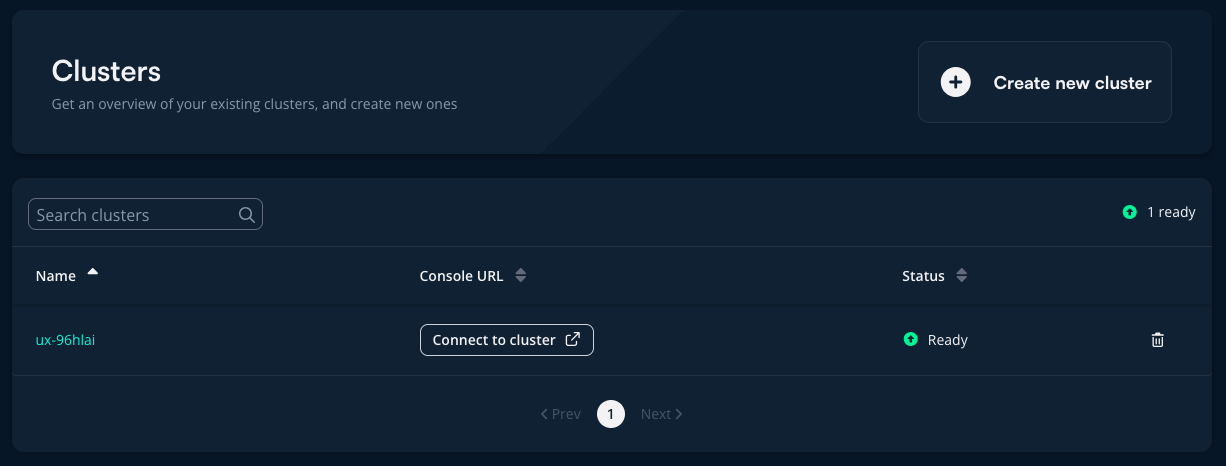
Cluster management is done via the Clusters page in the portal. Here, you immediately get an overview of your clusters.
- For more information about a specific cluster, click on the cluster name
- To connect to the cluster in OpenShift, click on the console URL link and log in with SSO
Delete cluster
Permanent Action
Cluster deletion cannot be undone. The cluster will be permanently removed.
- Go to the cluster overview and click the trash can icon next to the cluster you want to delete, or go to the cluster page and click Delete cluster at the top right
- Enter the cluster name (e.g.,
mycluster-fgtko5) in the text field to confirm - Click Delete to complete the deletion
Next Steps
Now that you know how to manage clusters:
- Create Cluster - Create a new cluster
- Deploy Your First Application - Deploy to your cluster
Already familiar with Kubernetes/OpenShift? Skip the basics:
- Install Argo CD - Install Argo CD for production-ready deployments